Sometimes we need to change the names of multiple files and when we need to do this, in most of the time we have to deal with some pictures. This method should work for other files too, although in this example I will use only some pictures. I will show you two examples of how I am renaming multiple files at once. The first example will be the classic way and it works fast if you have to deal with only one set of files or you`re doing this rare. The other example will involve a software, don`t worry it`s free, tiny and it`s installing quite fast. Before we start I would like to mention that all tests were performed on a Microsoft Windows 7 but it should work on others too. If you`re doing this for the first time, I would advise you to make a backup of your files, just create a new folder and copy/paste everything there just in case something goes wrong. Here it is the first example :
1. Open the folder with your files. Let`s say that I have one folder with my summer trip pictures and their names starts with DSC followed by a number. I would like to rename them all of them to SummerTrip instead of DSC and here is the classic way of renaming all of them. I will open the folder containing the files that I want to rename:
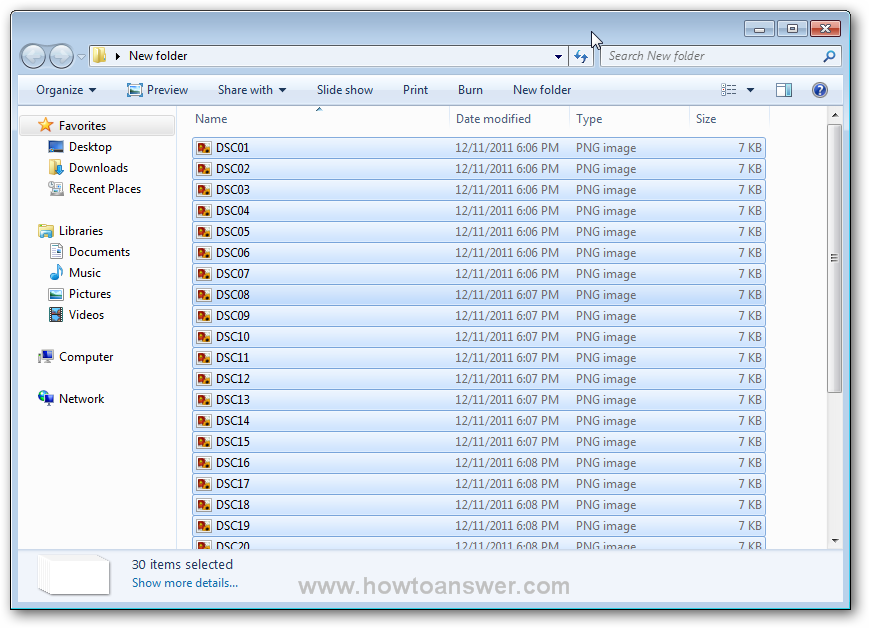
Now, click on any file ( a right click ), doesn`t matter which one and hit the ``CTRL+A`` keyboard combination and all of your files will be selected, exactly like I did :
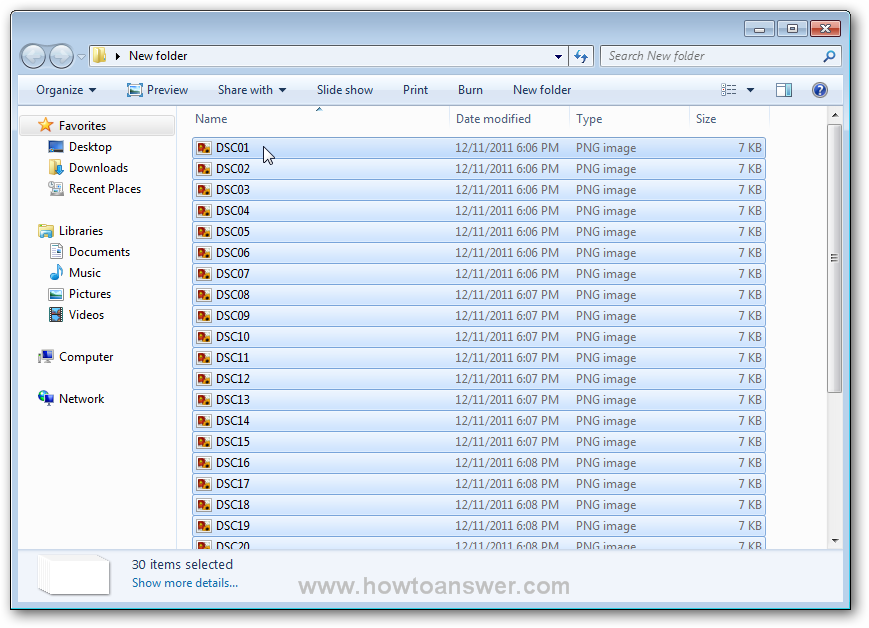
Here it is, the easy part, I am going to select one file, let`s say the first one DSC01 and I am going to ``Rename`` the file from DSC01 to SummerTrip and take a look at my results, I`ve managed to rename all files from DSC to SummerTrip and Windows was smart enough to add the numbers at the end.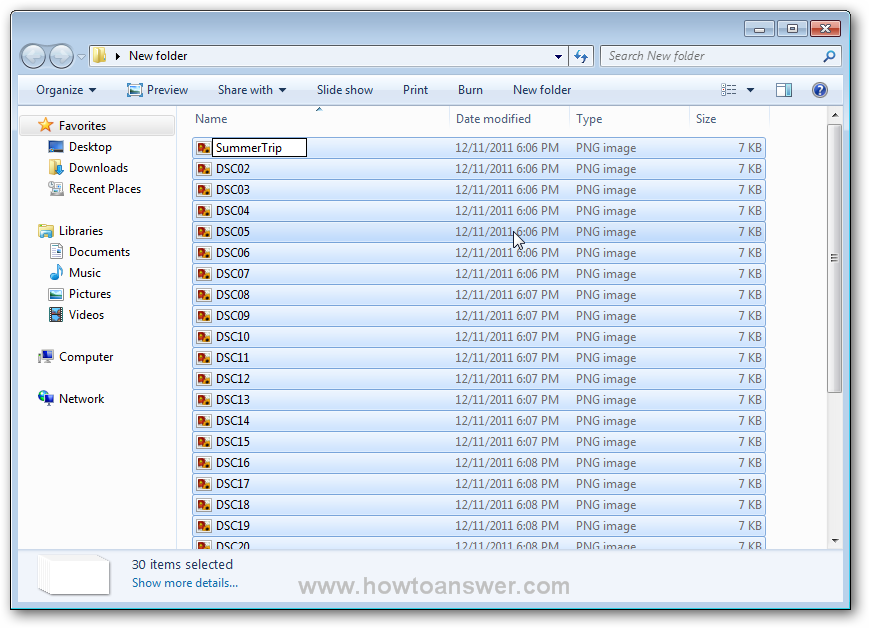

Let`s move forward, as I said at the beginning, I will use a free rename software for Windows which will allow me to rename multiple files at once. The name of this software is AntRenamer and it was created by Antoine Potten, a talented belgian programmer. You can download AntRenamer and install it. I will use the same folder for this example so that it can be easier to compare the results. If you installed this software, open it:

Depending on your choice, you can choose either to ``Add Files`` or to ``Add Folders`` and I choosed the second one ``Add Folders`` as it`s easier for me. A new window will appear: ``Select Folders to Add`` and I am going to navigate to my folder, I will use Desktop, it will expand I will choose the folder with the files that I want to rename: ``New Folder`` and hit the ``OK`` button
After I did this, I will see the content of that folder inside of this software, all of them arranged by filename. Don`t rush to hit the ``Go`` button, there is still one thing to do before doing this.
Click on the second button called ``Actions`` and from all these options choose the second one called ``String Replacement``. On the right side, you will need to replace whatever it writes there with the name of your files, for example if my files are starting with DSC I will write there DSC and I will choose to ``Replace by`` and I will write the new desired name, in this case: SummerTrip.

After I did this, all I need to do is to hit the ``Go`` button and this it, if I open the ``New Folder`` containing my files all of my files should be renamed.

Ant Renamer can help you with a lot of tricks. It can manipulate and change files in multiple different ways. If you can understand how ``Actions`` works you will be able to perform a lot of things. The developer Antoine Potten, was kind enough to share one of the most ``confusing actions``. I could not explain this action without his help so thanks a lot. According to Antoine, it seems to be the ``Enumeration`` action. At first sight it may look confusing, but it took me just a little to get used to it.
Here`s how to use the ``Enumeration`` feature. It is more often used for files with random names or files with non-continuous numbering. I will open a folder from my computer that contains 10 pics in .PNG format, it could be any other format, even more files, it just doesn`t matter - Ant Renamer can handle any format and a huge number of files ( limited by your computer resources ). As you can note, each file has a different name. Here is the folder:
Let`s pretend that I would like to change the name of all files to ``MyCoolScreenshot`` and also to add them a number. For any reason, I would also like to change the extension of files from .PNG to .JPEG. In order to be able to do that, I will open Ant Renamer, select ``Actions`` and choose ``Enumeration``. The default mask should look like this:

I will modify ``File `` with ``MyCoolScreenshot`` and ``ext`` with ``.jpeg``. If I would want to keep .png extension I would NOT CHANGE ``ext``. This is how it looks now:

Once I have this changed ( if you didn`t already ) I will open the files. I will click on ``Add files`` button and then browse to the folder that contains my files and select them. I could also use ``Add folder...`` but it was easier for me.
After selection of files, I will be redirected back to the main program interface. You can even obtain a preview of how the files will change after this action. On the left corner ( down ) you have a feature named ``Preview of selected file``.
There is one more thing. If you want to have 0-padding added to the numbers you can set the number of digits to a higher value. If I will set this to number 5 the names of files will change from "MyCoolScreenshot1.jpeg" to "MyCoolScreenshot00001.jpeg". I have highlighted the change in the following image. If everything looks as I wanted all I need to do is to click on ``Go`` button and the program will process all the files.
Take a look at what happened after I hit the ``Go`` button. Ant Renamer, renamed and changed the extension of all files. I have included both versions with 1 and 5 digits. The first example is with 5 digits results.
Here is the second example, if I wanted to keep only 1 number - the results would be a little different now. That`s exactly what I wanted to do! 
If you need to rename all kind of files and folders in Windows, Ant Renamer is the perfect batch-rename utility. Just remember one thing, make sure to back-up your files before changing them, just in case something goes wrong.
